
How to Make an Excellent Dust Collector Shoe for Tormach CNC
How to build a dust collection shoe for the Tormach CNC milling machine, and other (bridgeport style) machines that have a similiar style sp


Stereo Microphone inputs for iPhone, Android and other Smartphones
I'm assembling a camera rig for shooting video using the iPhone (or Android smartphone), and need dual channel (stereo) mic inputs. By default, the audio jack on these phones is 2 channel out, one channel in (TRRS type connector). So it's only possible to have mono input if using the headphone jack. Therefore, the only way to get stereo input is to use the digital input, Lightening or Micro USB connector, on the phones. I've found several such devices that allow for mixing 2


LiFePO4 Battery installation for mobile use in RV or camper van
The AGM house batteries in my Sprinter based RV are starting to perform very poorly. It's time for an upgrade, and I don't want to go the AGM lead acid route again. I've been keeping an eye out on LiFePO4 batteries because 4 cells in series works well with a standard 12V DC system. An eBay seller had an interesting packaging for a 12V 100Ah pack. He was putting them into metal ammo boxes PA-19, and including a balancer and a battery voltage meter. Specs for the PA-19 ammo


How To Install Solar Panel On Camper Van Without Factory Roof Rack Rails Dodge Mercedes Sprinter
These solar panels have been one of the best additions to the Dodge/Mercedes Sprinter camper van. Each panel is a high quality 100W Renogy Solar panel originally intended for residential solar installations, but work great on mobile installations too. The first step of the process was to install a roof rack rail system. I didn't want to permanently install the solar panels on the roof, whether through drilling and screwing it in, or permanent adhesive mounts. Ultimately I wil
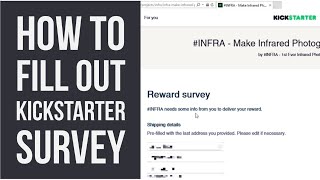
Kickstarter Tip #6 - How to fill out the project survey
Here is an instructional video on where to find, and how to fill out a project survey on Kickstarter.
Kickstarter Tip #5 - Easy way to get backers to double their pledge
We've discovered an easy way to convince backers to double their pledges. This works particularly well with Early Bird pledges, or offering a second item at a discount. Usually one of the lowest pledge levels only includes 1 item, and often times these are EB pledge levels. You can tell people on the Kickstarter page, or in the pledge description that they can add extra $$ or double their pledge for more than one item, but often times backers don't read that. The easy way


Kickstarter Tip #4 - Permissions for marketing agencies
Marketing agencies that work with you to promote your Kickstarter campaign will need to be added as a collaborator and given a specific amount of permissions. Figuring out which permissions to give them can be tricky, so here's a guide. The most basic permissions that a marketer will need is the ability to "view backing activity and access the backer report". This gives them the ability to create tracking links so they can see what advertisement channels are bringing in bac

Kickstarter Tip #3 - Using Animated Gifs
Animated Gifs are a great way to show potential backers how something appears or functions without having to watch the project video. The trick to creating a good animated gif is to resize it to the Kickstarter image width (680px wide) and keep the file size to a minimum (5-10mb) so that it will load quickly. Beware the 3 ring circus! I've seen many campaigns with way too many animated gifs. Sometimes almost every image is an animated gif. This makes the page load very slo
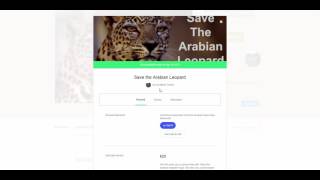
Kickstarter Tip #2 - How to change the reward delivery address in your survey
One common question from Kickstarter backers is, "How do I change my delivery address". If the creator has allowed the option for backers to be able to change delivery address, then follow these simple steps. Click on your icon in the top right. Select the project that you backed and want to change the address. On the project page, click on the blue "View Pledge" button on the right side. A new page pops up. Click on "Survey" in the center. Scroll down and click "Edit


Kickstarter Tip #1 - Formatting Images for Kickstarter Project Page
Formatting images for the best appearance on Kickstarter is tricky and works best if you follow a few guidelines. Image Width Kickstarter resizes any image you upload to 680px wide. This means that you should save images as multiples of 680px for the best resizing quality. Ideally just save the images destined for the Kickstarter page as 680px wide. Mobile Phone Cropping Issue The width of the images gets cropped when viewing on mobile phones, even in the Kickstarter app. Th


